
Expert Computer Repair Services and Local IT Repair Solutions in Malaysia
- EIT PRO SOLUTIONS

- Feb 2
- 4 min read
When your computer starts acting up, it can feel like your whole day is thrown off track. Whether it’s a slow startup, unexpected crashes, or hardware issues, having a reliable expert to turn to is a lifesaver. In Malaysia, finding local IT repair solutions that are both trustworthy and efficient is key to getting your device back in shape without the hassle. I’ve spent years navigating the tech repair landscape here, and I’m excited to share what I’ve learned about expert computer repair services that Malaysians can count on.
Why Choose Local IT Repair Solutions in Malaysia?
Choosing local IT repair solutions comes with a bunch of benefits that you might not get from big, impersonal chains or overseas services. First off, local repair shops understand the unique tech environment here in Malaysia. They know the common issues faced by users in our climate and usage patterns. For example, humidity can cause hardware corrosion, and power fluctuations might damage sensitive components. Local experts are prepared for these challenges.
Another advantage is speed. When you bring your device to a nearby shop, you often get faster turnaround times. No need to wait weeks for shipping or remote diagnostics. Plus, local shops tend to offer personalized service. They take the time to explain the problem and the fix in simple terms, which is a huge relief if you’re not tech-savvy.
Finally, supporting local businesses helps the community thrive. These shops often provide warranties and follow-up support, building trust with their customers. It’s a win-win situation.
What are computer repair services?
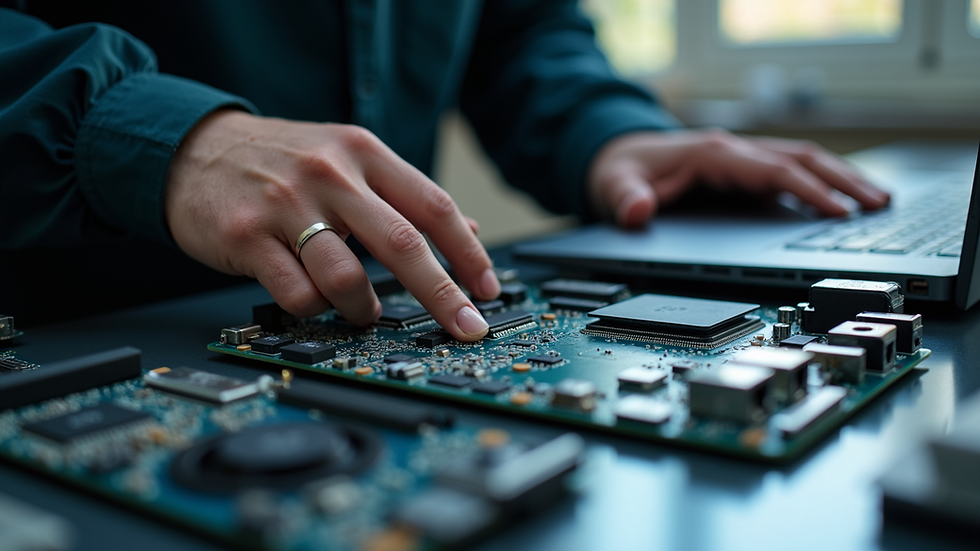
Simply put, computer repair services cover a wide range of fixes and maintenance tasks for your computer. This includes diagnosing problems, replacing faulty parts, cleaning hardware, and optimizing software performance. Whether your laptop won’t boot, your desktop is overheating, or your data is lost, these services aim to restore your device to full functionality.
Some common types of repairs include:
Hardware repairs: Fixing or replacing components like hard drives, RAM, power supplies, and screens.
Software troubleshooting: Removing viruses, fixing operating system errors, and reinstalling software.
Data recovery: Retrieving lost or corrupted files from damaged drives.
Upgrades: Installing new hardware to improve speed or storage capacity.
Maintenance: Cleaning dust from inside the computer, updating drivers, and optimizing system settings.
Understanding what’s involved helps you communicate better with your technician and make informed decisions about your device’s care.
How to Identify Reliable Local IT Repair Solutions
Finding a trustworthy repair service can be tricky, but there are some clear signs to look for:
Certifications and Experience: Check if the technicians have certifications from recognized bodies like CompTIA or Microsoft. Experience matters too - shops that have been around for years usually have a solid track record.
Transparent Pricing: A good repair service will provide clear estimates before starting work. Avoid places that give vague or suspiciously low quotes.
Customer Reviews: Look for online reviews or ask friends for recommendations. Positive feedback about professionalism and quality work is a great indicator.
Warranty on Repairs: Reliable shops offer warranties on parts and labor. This shows confidence in their work and protects you if issues recur.
Range of Services: A shop that handles both hardware and software issues is more likely to diagnose problems accurately and provide comprehensive solutions.
By keeping these points in mind, you can avoid common pitfalls and get your computer fixed right the first time.

Tips for Maintaining Your Computer Between Repairs
Prevention is always better than cure. While expert repair services are there when things go wrong, you can extend your computer’s life by following some simple maintenance tips:
Keep your system updated: Regularly install operating system and software updates to patch security holes and improve performance.
Use antivirus software: Protect your device from malware and viruses that can cause serious damage.
Clean your hardware: Dust buildup can cause overheating. Use compressed air to clean vents and fans every few months.
Avoid overloading your system: Close unused programs and avoid running too many heavy applications simultaneously.
Backup your data: Use external drives or cloud storage to keep copies of important files. This saves you from data loss disasters.
These small habits can save you time, money, and frustration in the long run.
When to Seek Professional Help for Your Computer
Sometimes, no matter how careful you are, problems arise that need expert attention. Here are some signs it’s time to visit a professional:
Your computer won’t start or keeps crashing.
You hear unusual noises like clicking or grinding.
The screen displays strange colors or flickers.
You suspect a virus or malware infection.
You’ve lost important files and can’t recover them.
Your device is running extremely slow despite maintenance.
In these cases, trying to fix the issue yourself might cause more harm than good. Trusting a skilled technician ensures the problem is diagnosed correctly and resolved efficiently.
Finding the Best Computer Repair Services in Malaysia
If you’re looking for reliable computer repair services in Malaysia, here are some practical steps to find the best fit:
Search online directories: Websites like Google Maps or local business listings often have ratings and reviews.
Ask for recommendations: Friends, family, or colleagues can share their experiences.
Visit the shop: A quick visit can give you a feel for their professionalism and customer service.
Compare quotes: Don’t settle for the first estimate. Getting multiple quotes helps you understand the market rate.
Check turnaround time: Ask how long the repair will take and if they offer express services for urgent cases.
By doing your homework, you’ll avoid scams and get your device fixed by experts who care.
Getting your computer repaired doesn’t have to be stressful. With the right local IT repair solutions in Malaysia, you can enjoy fast, friendly, and professional service that gets you back online in no time. Remember, a little care and timely expert help go a long way in keeping your tech running smoothly. So next time your device acts up, you know exactly where to turn!


Comments